New · Now on Microsoft Store for Windows · Android 0.3.0
Your tabs. Your space. ToolsKo Browser.
A private browser with built-in ad and tracker blocking. Version 0.3.0 also removes most YouTube video ads (Android now; Windows after Microsoft Store review). Tap the shield to see every ad, video ad and tracker it stopped on the page. No account. No saved browsing history. One tap to erase your session.
Free · Windows 10/11 from the Microsoft Store (signed and updated by Microsoft) · Android 8+ ARM64 beta APK, 100.6 MB Not a VPN. Saved downloads stay on your device.
Block more distractions
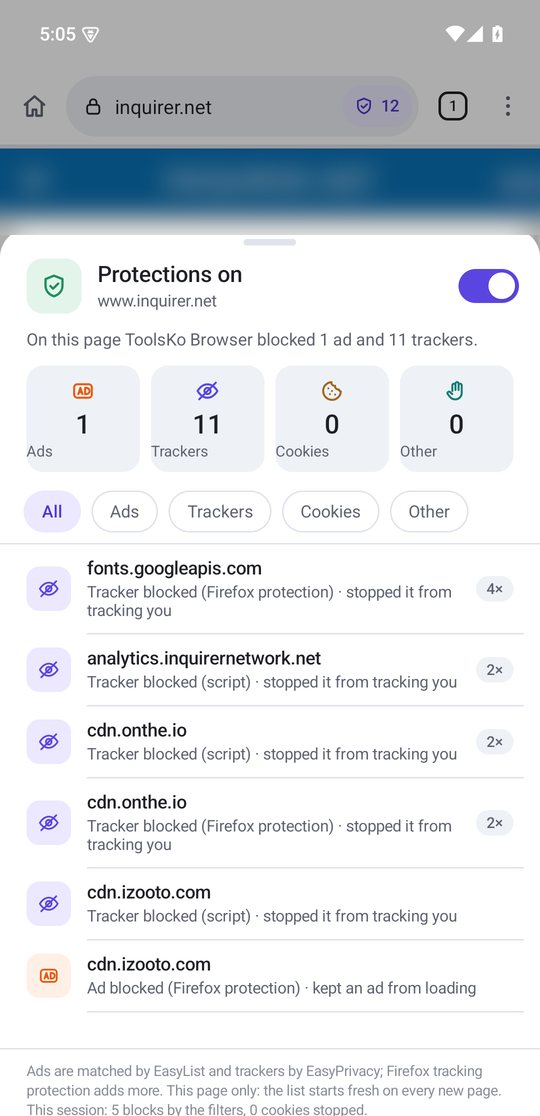
Bundled EasyList, EasyPrivacy and uBlock Origin filters block matching ad and tracker requests on your device. Version 0.3.0 also removes most YouTube video ads before the player shows them (Android now; Windows once its Microsoft Store update passes review). Tap the shield in the address bar to see the list of every ad, video ad, tracker and cookie blocked on the page, and what each one protected you from.
Start private
Every tab is private. No ToolsKo account, history list or browser telemetry. HTTPS browsing, screenshot protection and Global Privacy Control are enabled by default.
Leave a clean session
Tap the flame (Erase) in the menu to close tabs and clear website cookies, logins and storage. Files you chose to download stay on your device.
See it in action
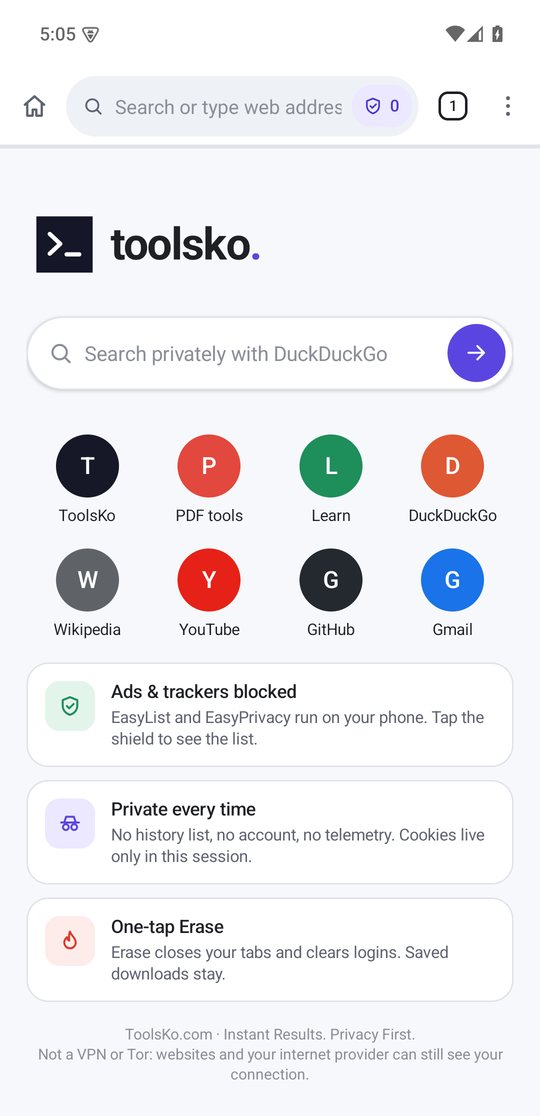
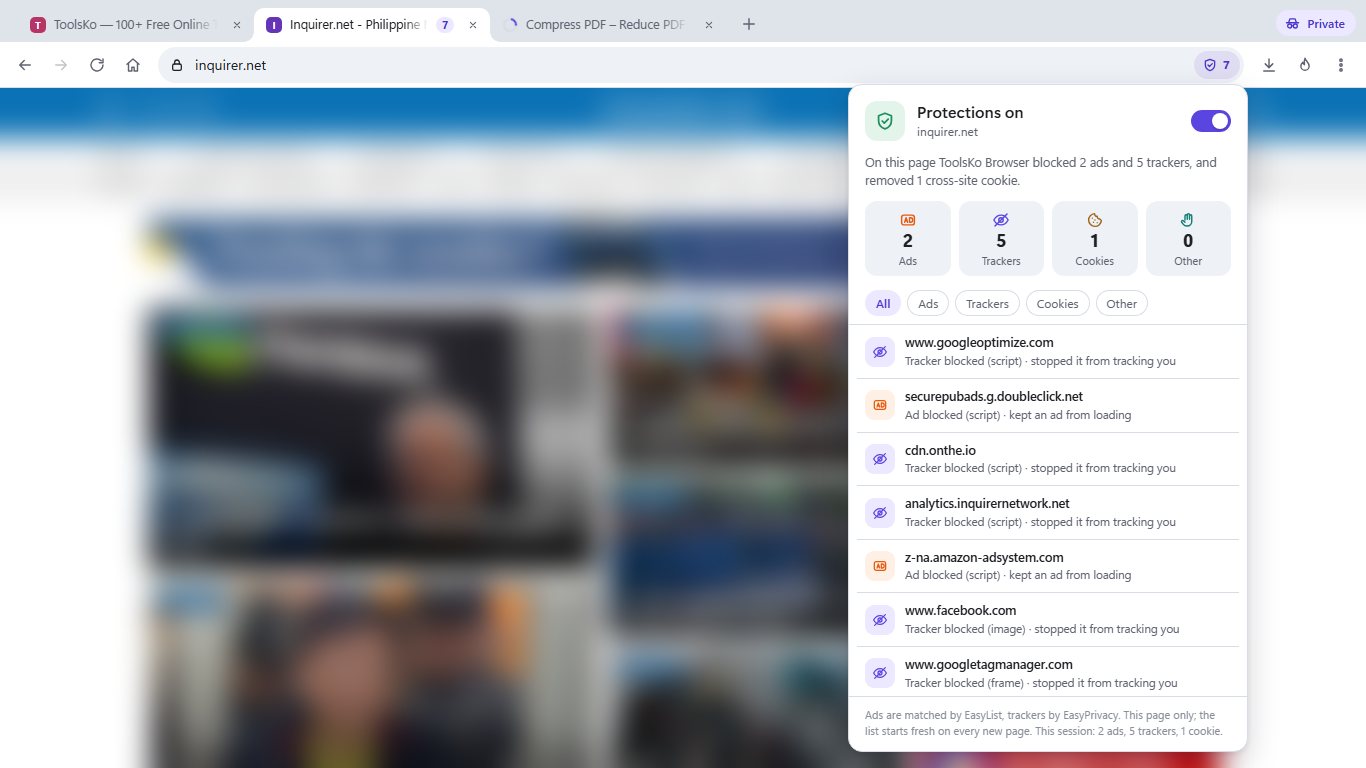
Real screenshots of version 0.2.0 (0.3.0 adds a Video ads count to the same panel). Tap or click the shield in the address bar to see every ad, tracker and cross-site cookie it blocked on the page, and what each one protected you from.
Android: new private tabWindows (Microsoft Store): the Protections panel
Install on your Android phone
Tap Download Android APK above. This version is for ARM64 phones running Android 8 or later.
Open the downloaded APK. If Android asks, allow your current browser or Files app to install this APK, then tap Install. You can turn that permission off again afterwards.
Open ToolsKo Browser, wait for “protection on,” then enter a website or search. No registration is required.
This is a direct-download beta, separate from the ToolsKo toolkit app. It is not listed on Google Play. Keep Android security checks on; if your phone blocks the installation, stop and use the website instead.
Windows version (Microsoft Store)
ToolsKo Browser for Windows 10/11 is available free from the Microsoft Store. Microsoft signs the app and delivers its updates. There is no separate Windows download on this site. The Windows 0.3.0 update with YouTube video-ad removal goes through Microsoft Store review first; until it arrives, the Windows app is 0.2.0, which does not remove video ads.
On Windows the browser uses the Chromium engine (through Electron), not Mozilla Gecko. It keeps the same approach: bundled EasyList and EasyPrivacy filters, an in-memory private session, HTTPS-only browsing, Global Privacy Control, denied site permissions and an Erase session button.
Know the privacy limits
This browser is not a VPN or Tor and does not make you anonymous. Websites and your internet provider can still see your connection. Filters cannot remove every ad, tracker or fingerprint. YouTube changes how it serves ads often, so some video ads can still play until the next ToolsKo Browser update; the shield shows when one got through.
Session erasure covers website state in the browser. Saved files, keyboard records, operating-system logs and crash artifacts are outside its scope. Gecko may contact Mozilla services for security and blocklist updates; ToolsKo adds no browser telemetry. A website you visit, including toolsko.com, still has its own privacy policy.
In this beta, site requests for camera, microphone, location and notifications are denied. Some sites will break under strict protection. You can temporarily pause ad filtering for the current site from the shield or the menu. Private mode and other protections remain enabled.
Windows version: website cookies, logins, cache and site storage live in a temporary in-memory session that Erase session or closing the app clears. The app keeps no history file, has no account and sends no ToolsKo telemetry or crash reports. Cross-site cookies are stripped, and camera, microphone, location and notification requests are denied. Searches from the start page go to DuckDuckGo. The Microsoft Store handles installs and updates under Microsoft’s own privacy terms. Saved downloads, Windows records and crash files are outside session erasure.
Updates & compatibility
Version 0.3.0 beta · Released 2026-11-25. Updates are manual: return to this page and install the newer APK over the existing app (version 0.3.0 installs over 0.2.0 and 0.1.0; all are signed with the same key). Version 0.3.0 removes most YouTube video ads and video-ad players on other sites, and lists them under Video ads in Protections. Version 0.2.0 brought the Chrome-style design, dark mode and the Protections list. Browser and filter updates are bundled together. This beta has no automatic security-update service.
ARM64 Android 8+ is the phone download. An x86-64 APK (105.6 MB) is also available for compatible Android emulators. Android 15 emulator testing covers browsing, actual ad filtering and session erasure; physical phone and older-Android testing remain pending. The Windows version is available from the Microsoft Store; there is no iPhone version.
ToolsKo Browser is an independent application, not endorsed by Mozilla, Firefox, DuckDuckGo or Ghostery. MPL 2.0 and bundled third-party license terms apply.